QR menu with photos and options
A QR code on the table opens the full menu with dish photos, options and modifiers — no app to install.
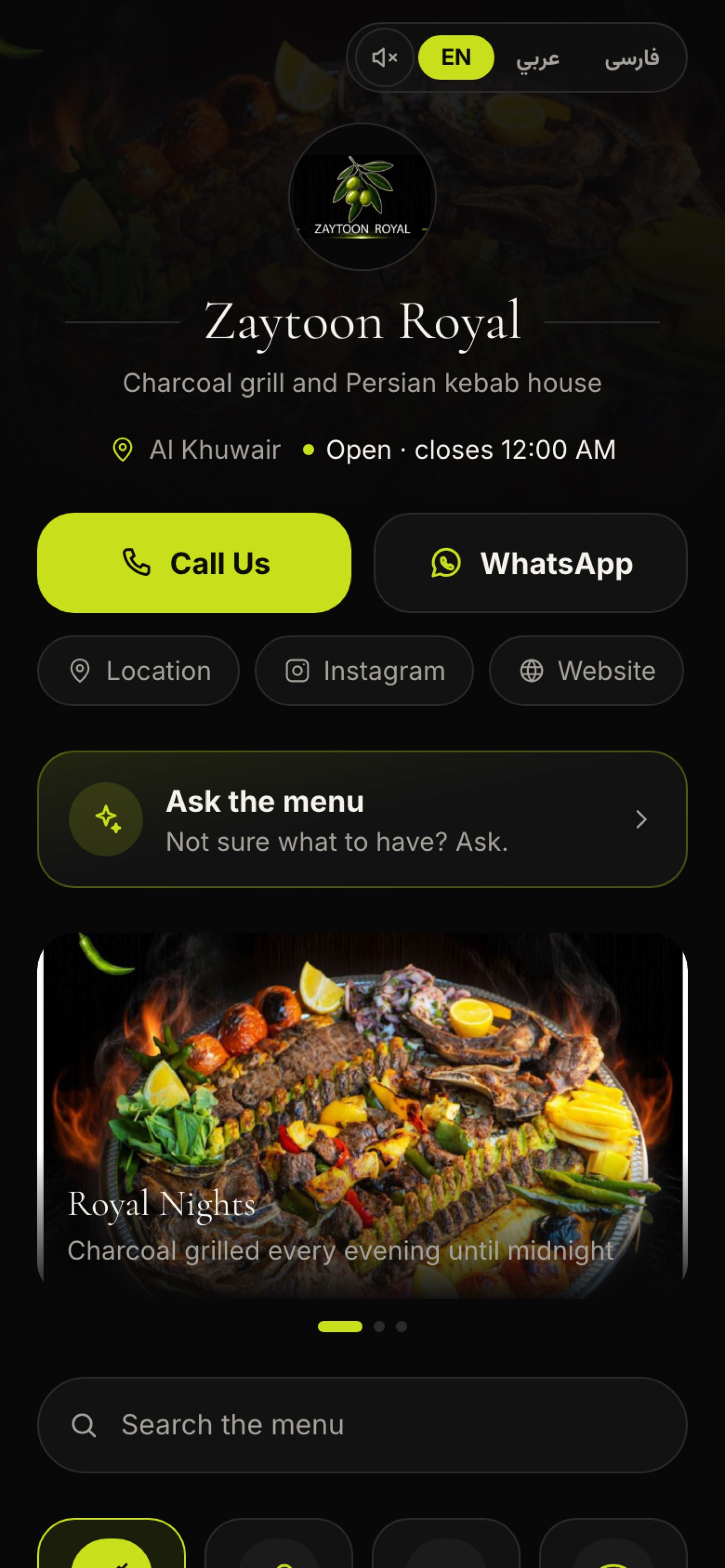 Guest menu — mobile
It reads a photographed menu into an editable draft, answers guests' questions on the menu itself, turns a WhatsApp voice note into a placed order, and answers yours from the restaurant's own numbers.
Live in an afternoon. No card to start. Works on the tablets you already own.
Opening to close
AI practically runs the restaurant; the command stays with you.
8 a.m., before opening
Photograph the laminated pages and the model reads categories, dishes and prices into an editable draft. Nothing is saved until you tick and apply; a dish already on the menu is never overwritten, and one that arrived without a price comes in switched off.
Noon, the first tables
A guest types "something light, nothing with nuts" and the helper answers from that restaurant's menu only, in the menu's own language, naming the dishes it means. Each dish is a card, one tap from the basket.
The height of the rush
The guest's own phone rings the menu: the helper greets, the guest speaks, and a decision model ranks the dishes that fit before a word is said. The dishes light up on screen as they are spoken, and the call is billed by the minute.
Evening, the takeaways
A voice note lands on WhatsApp and is kept there: transcribed in the language it was spoken, each dish matched to the menu. Ambiguities are asked back one question at a time, and only a plain yes from the guest places the order, with the pay link following.
After the last order
You ask "how did last week go?" and the assistant answers from the restaurant's own numbers, calling six read-only tools itself, always inside one restaurant's data, in its own currency. It cannot change a price, cancel an order or move money.
When you close
Every reply, every minute of talk and every draft carries its own price in the restaurant's currency, deducted automatically after each use. The balance shows as answers left, not tokens, and every feature has its own on/off switch to turn for tomorrow.
After close
Issue a key per assistant and hand it the menu: it reads the menu and the day's numbers, and with a write key it can create and edit dishes and categories. It never places an order, takes a payment or issues a refund, and every change is logged with the key that made it.
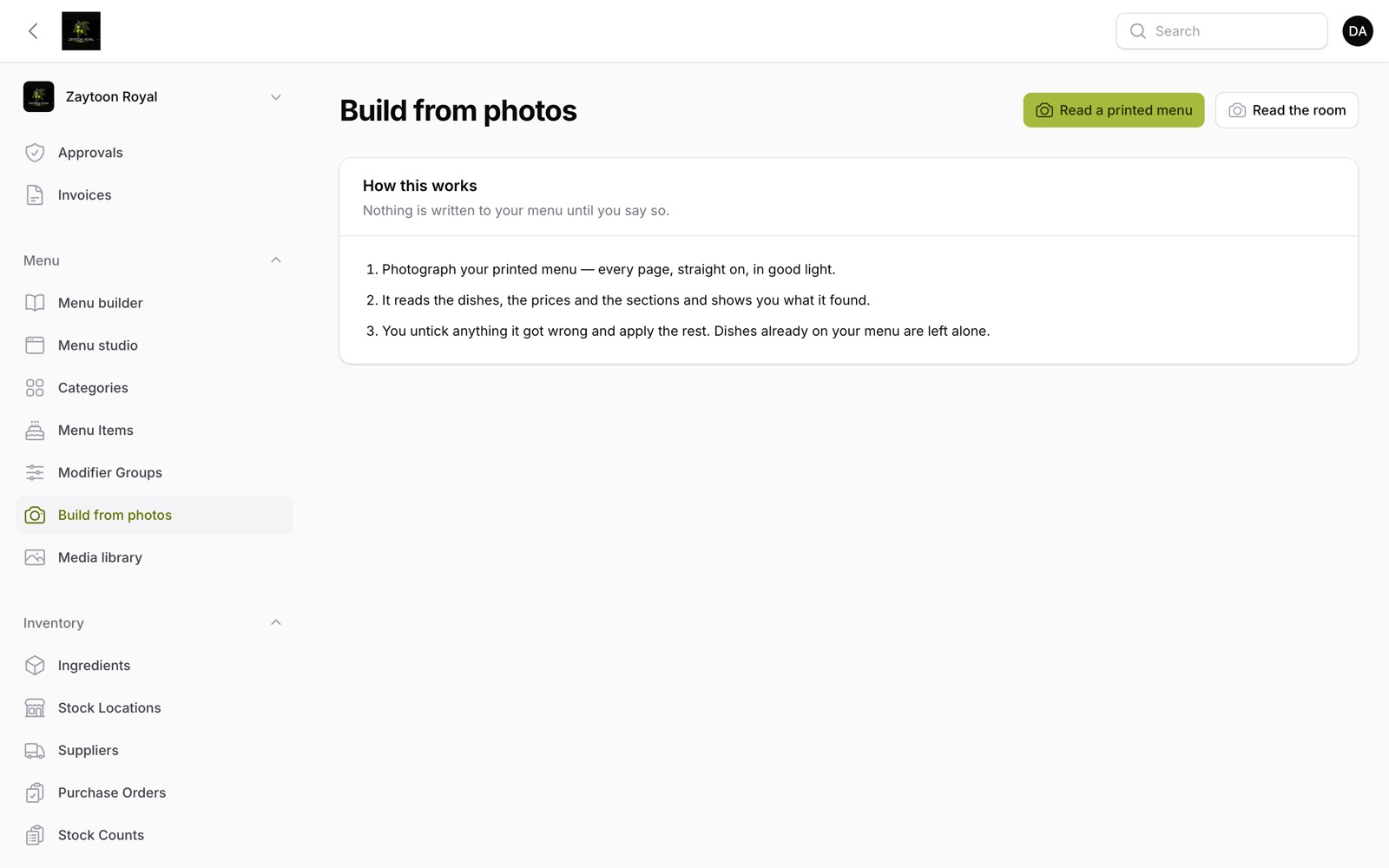 AI studio, ready to read
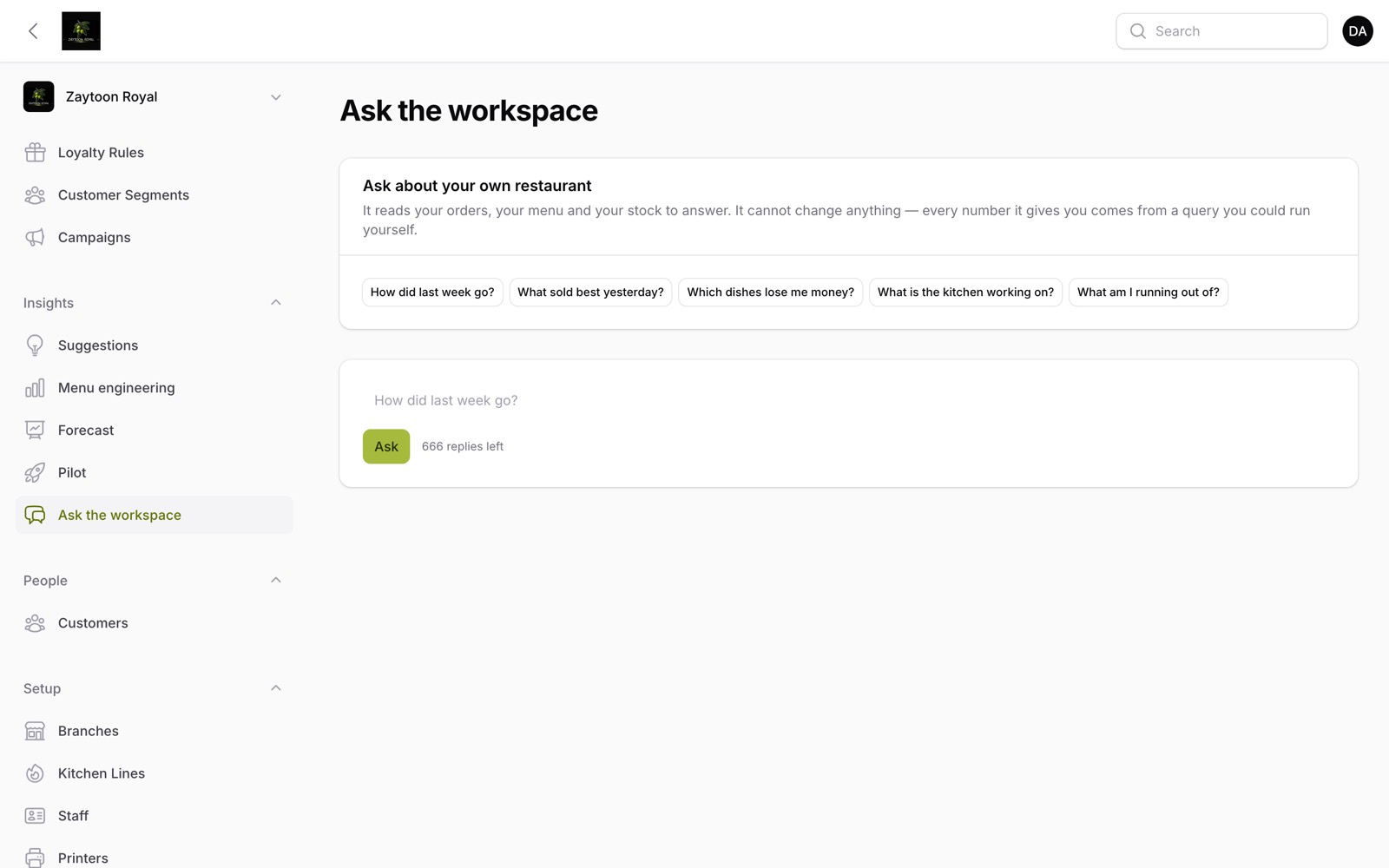 Ask the workspace
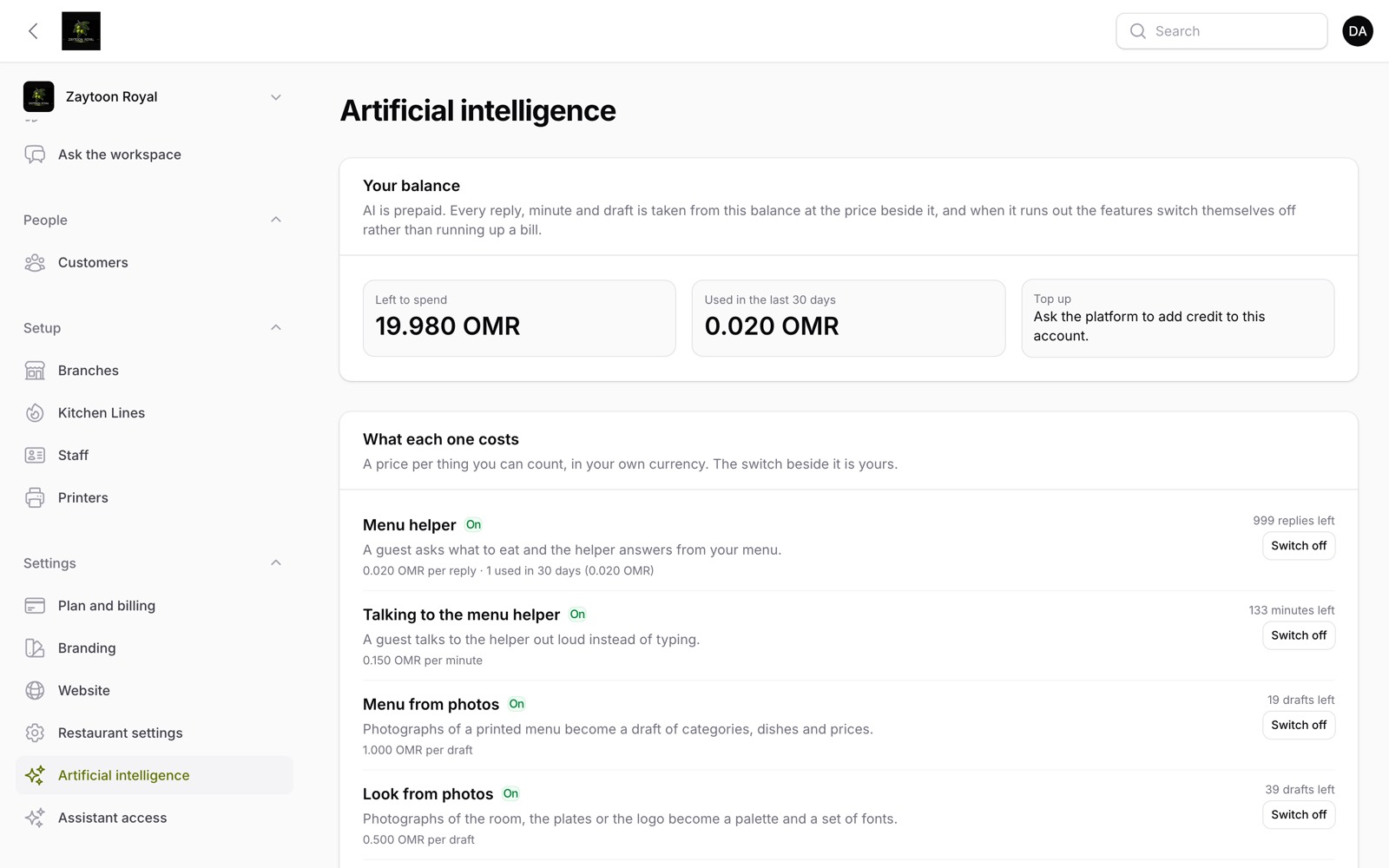 AI pricing, balance and switches
They are not four products stitched together. One order exists once, and every screen is a view of it.
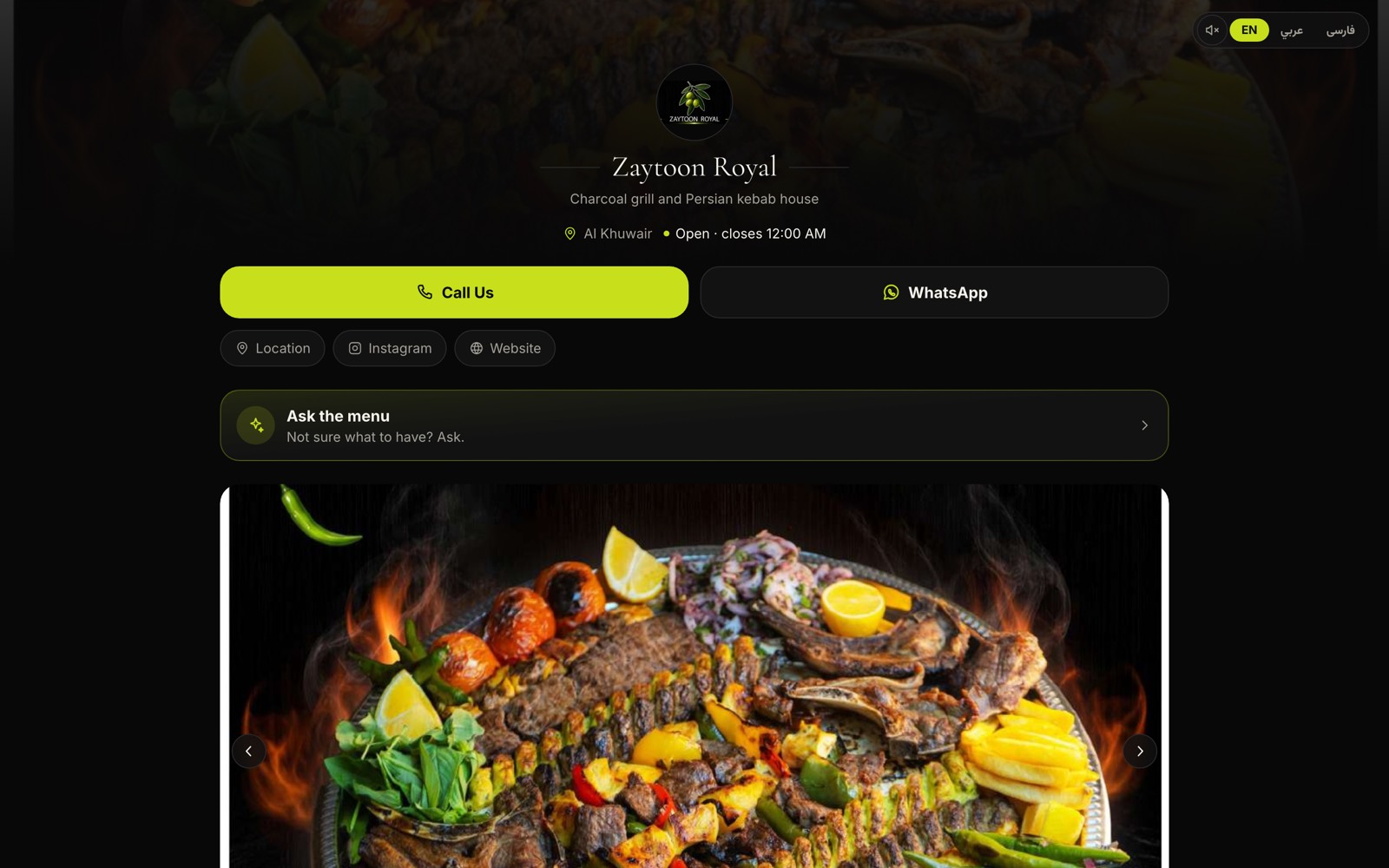 Guest menu — desktop
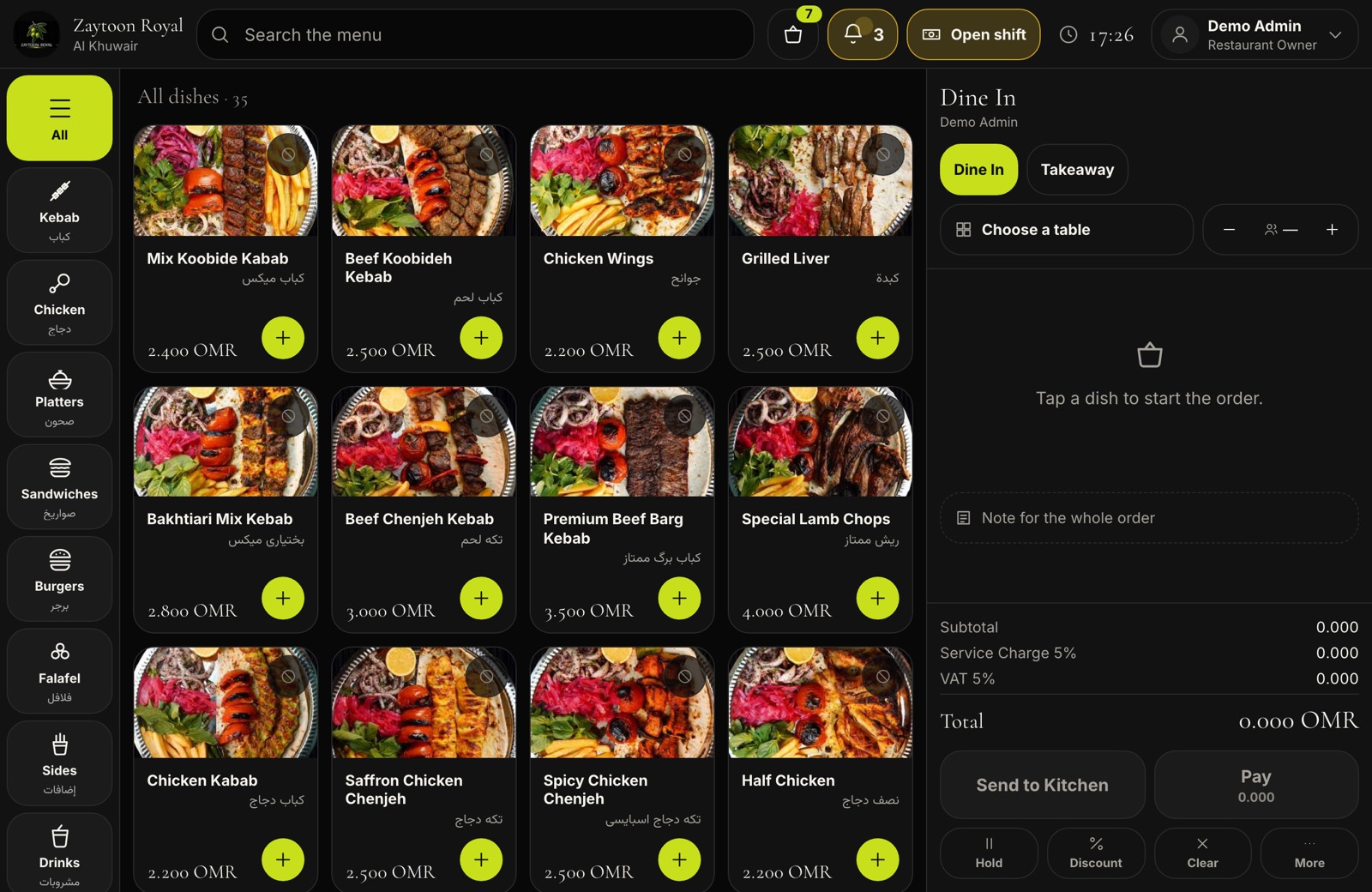 Staff POS
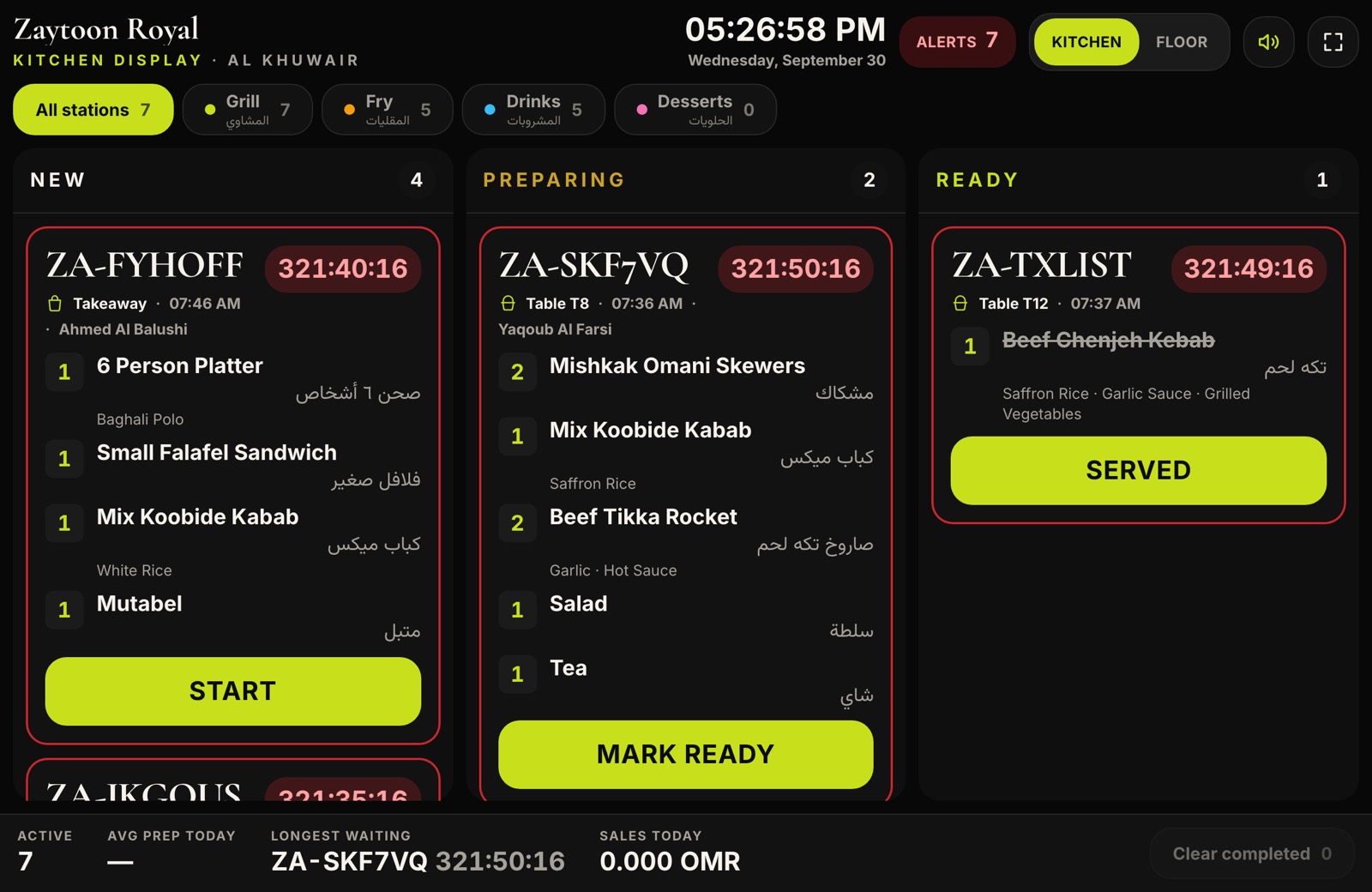 Kitchen display
 Driver app
A QR code on the table opens the menu, the dish photos, the options and the basket. Guests call a waiter, split the bill and pay by card without downloading anything.
An iPad till built for a thumb: tickets, modifiers, discounts with manager approval, shifts and the cash drawer. It keeps taking orders when the internet drops and sends them when it returns.
The pass, on a screen that never needs a mouse. Tickets age from white to amber to red so the line can see what is late from across the kitchen.
A waiter board with the whole floor plan and every table request, and a driver app that carries the address, the route and the proof of handover.
The whole platform
Fifty-seven capabilities, each one live in the product today — grouped the way a restaurant actually runs: the guest, the till, the kitchen and floor, the owner's panel, growth, and the platform underneath it all.
Everything a guest can do from the chair they are sitting on, without installing anything.
A QR code on the table opens the full menu with dish photos, options and modifiers — no app to install.
Guest menu — mobile
Four-language menu, right to left
English, Arabic, Persian and Sorani Kurdish with true right-to-left layout and self-hosted fonts that render every letter.
Menu search and popular dishes
Guests search the menu in their own language and see the dishes the restaurant has marked as popular or bestsellers.
Call the waiter from the table
A tap on the menu calls the waiter for service, the bill or payment, and the request lands on the floor board.
Order and pay at the table
Every table has its own code: guests order to their table, watch the ticket grow, and pay from the same screen.
Split the bill four ways
Pay the whole table, an equal share, only the dishes you ate, or an amount you type — every share lands on one ticket.
Online card payment
Card payment through Thawani or NabuPay with webhooks that confirm what happened before anything is said.
Live order tracking link
Every order carries a tracking link that follows it from the kitchen to the door, live.
Delivery zones and fee quote
Delivery checkout prices the fee from the restaurant's own zones, with minimum order and strict-zone rules it sets.
Ordering over WhatsApp
Guests can order over WhatsApp in the language they read the menu in, verified by signed webhooks.
Table reservations with deposits
Table bookings with slot availability, a deposit per guest, a waitlist, reminders and no-show handling at the door.
Self-service kiosk
A paired self-service screen at the counter: no phone, no waiter, and a cart that resets itself after idle seconds.
A cash drawer that keeps up with a Friday night and does not stop when the internet does.
POS till with tickets and modifiers
A thumb-built till: tickets, modifiers, discounts and moving an order to another table, on any tablet you own.
POS offline mode
When the internet drops the till keeps ringing up: orders are held offline and sent once, in order, when the network returns.
Manager approval for sensitive acts
Big discounts, refunds and voids wait for a manager: approve on the till with a PIN or from the approvals queue.
Shifts and cash drawer control
Opening float, cash in and out, the count at close and a report that can be reopened — the drawer's whole day.
Split payments, refunds and voids
Split and partial payments, refunds and voids — every sensitive one recorded against who did it.
Loyalty redemption at the till
Points earned on the same order are redeemable at the till, and a guest's subscription pass scans straight into the ticket.
The screens the food and the service actually run on.
Tickets age from calm to amber to red so the line sees what is late from across the kitchen, routed by station tabs.
86 an item, synced to the guest menu
Sell out a dish on the kitchen screen and it greys out on every phone in the branch within seconds, per branch.
Floor and table board for waiters
The whole floor on one board: every table's state — ordering, eating, asking for the bill — and every request in a queue.
Driver app with proof and GPS
One column, big buttons: pickup, delivery with photo and recipient proof, cash collected, GPS trail and shift settlement.
Delivery dispatch and auto-assign
A dispatch board that auto-assigns ready orders to the nearest driver and lets a manager reassign by hand.
One workspace for the menu, the money, the stock and the people.
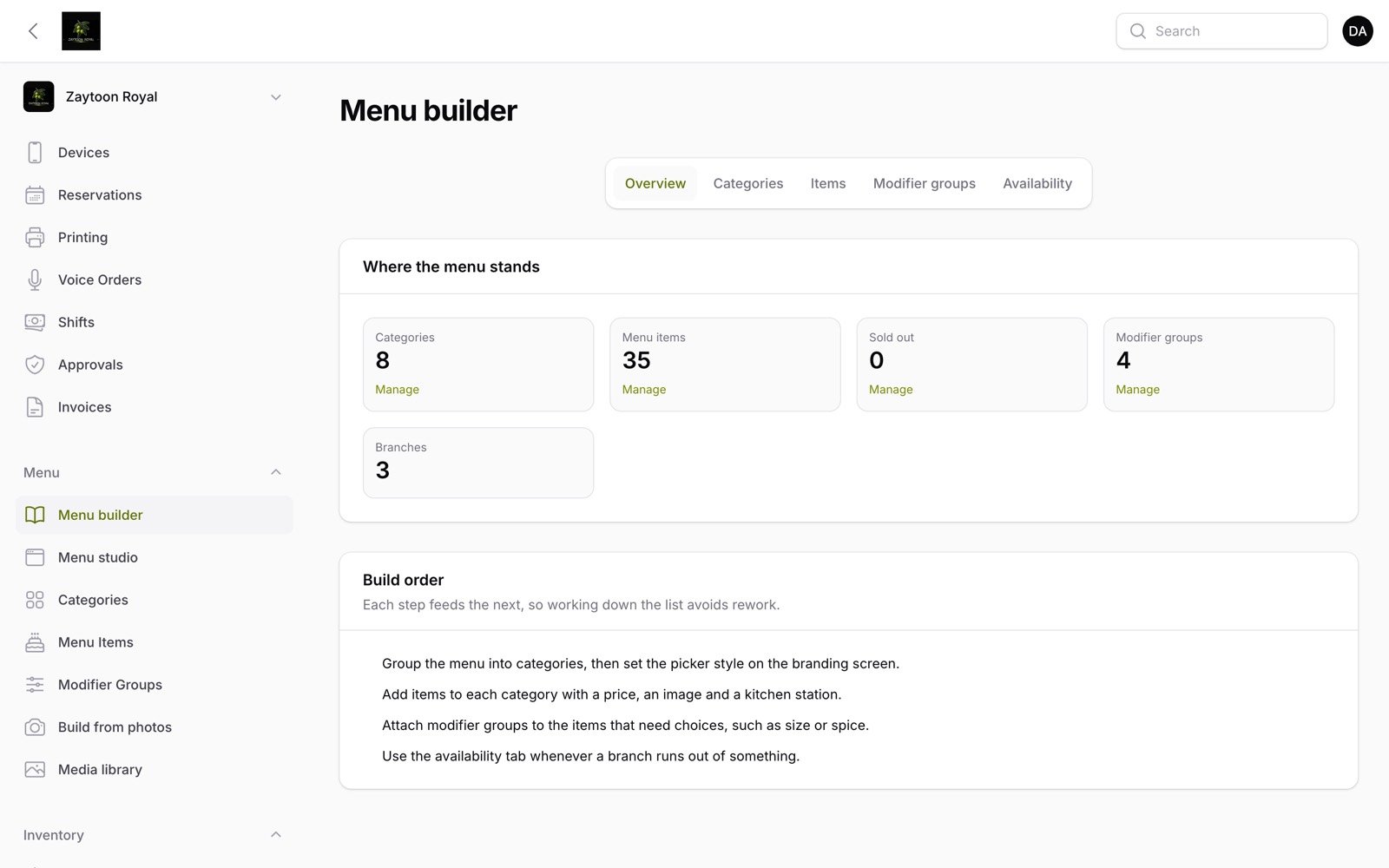 Menu builder
Categories, dishes, options and photos on one hub, with per-branch stock flips and menu themes.
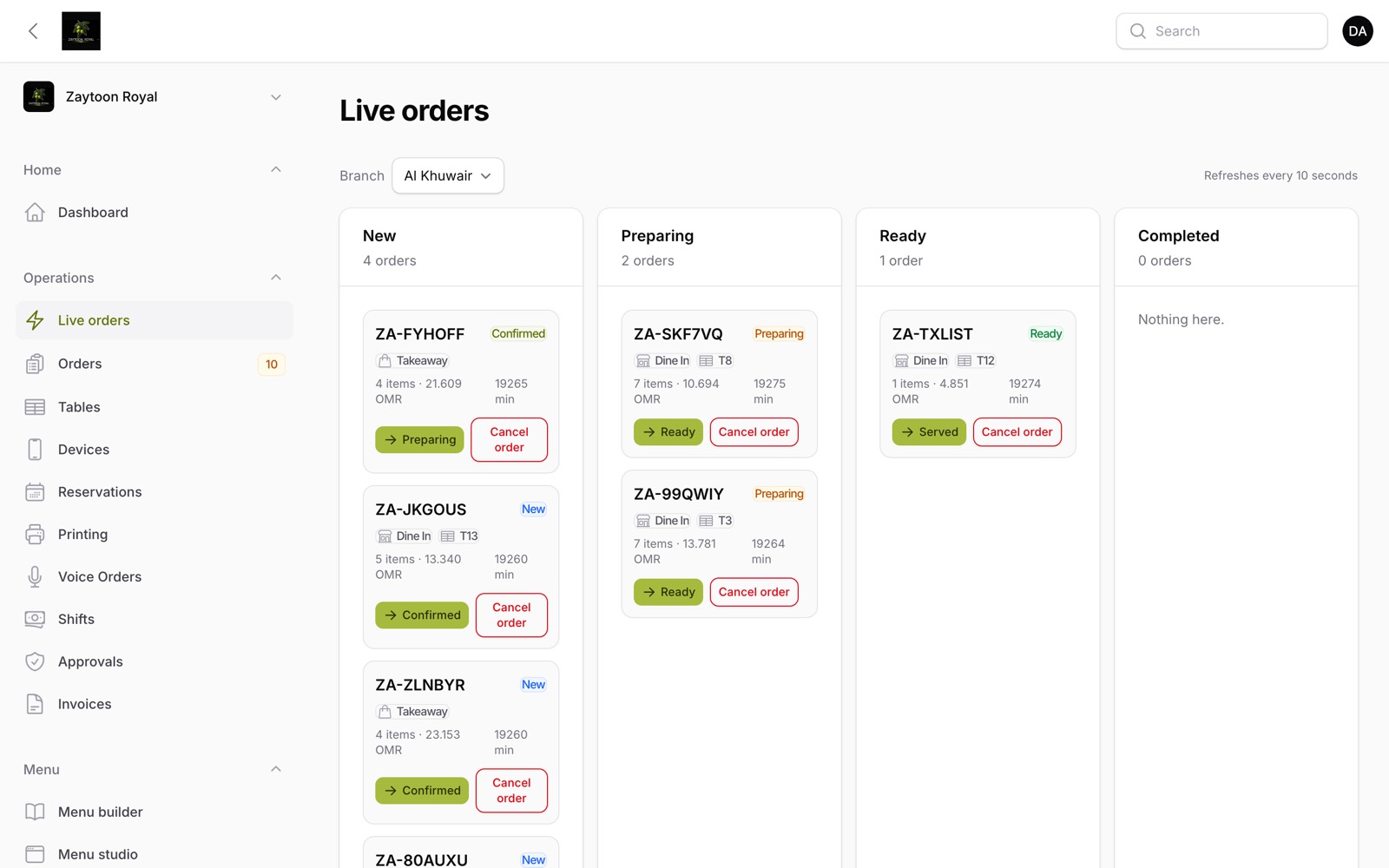 Live orders
Every order in the book, plus a live kanban of one branch's service in the four piles a manager thinks in.
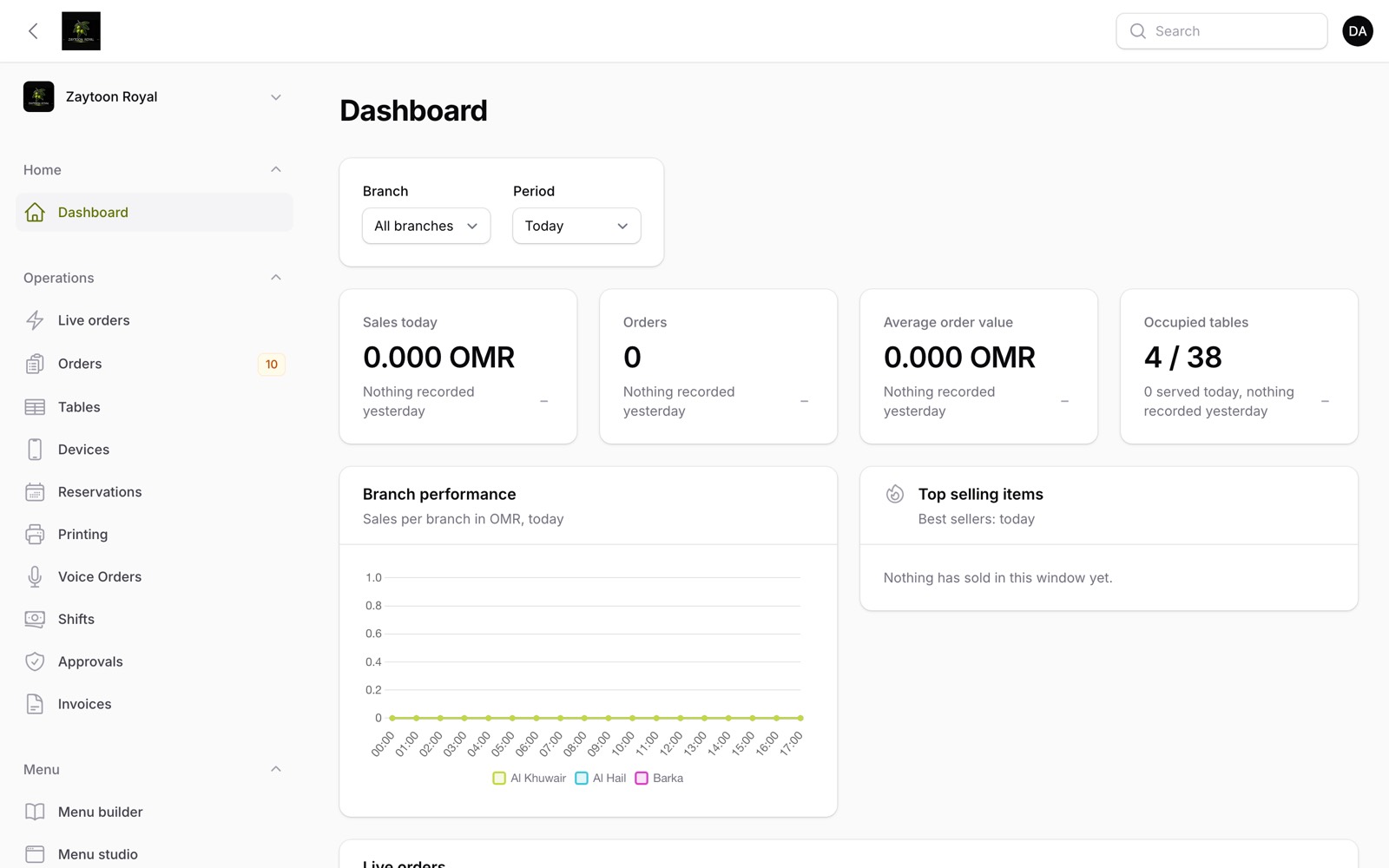 Owner dashboard
What sells, what sits, when the rush actually starts — with suggestions the platform writes from the numbers.
Branding with live theme preview
Colours, radius, logo and 40+ self-hosted Arabic and Persian fonts, previewed live before saving.
Restaurant website on a custom domain
A small homepage of the restaurant's own — hero, story, featured dishes, SEO — served on its own domain with managed DNS.
Multi-branch, multi-table account
Every branch and every table under one account, each with its own hours, staff, devices and stock.
Tax invoices and credit notes
Proper tax invoices and credit notes with the seller's VAT and CR numbers, on a public link the accountant can open.
Company accounts and statements
Accounts for the companies that eat with you every week and settle at month end on one statement.
Inventory, recipes and purchasing
Recipes behind each dish, stock counts, suppliers and purchase orders — what the kitchen used, ordered and lost.
Menu engineering matrix
Every dish on two axes — how much it sells and what it earns after the recipe: stars to protect, dogs to reconsider.
Seven-day sales forecast
The next seven days by hour, forecast from the same weekdays of the last six weeks.
Pilot shadow mode
Shadow mode marks every order as practice — printed with a banner, kept out of reports — until the switch to live.
Media library with image optimization
Every photo in one place, found again without migrating anything, and quietly brought down to size as it arrives.
Staff users and roles
Staff accounts with roles — owner, manager, cashier, cook, driver — that decide which screens each person may open.
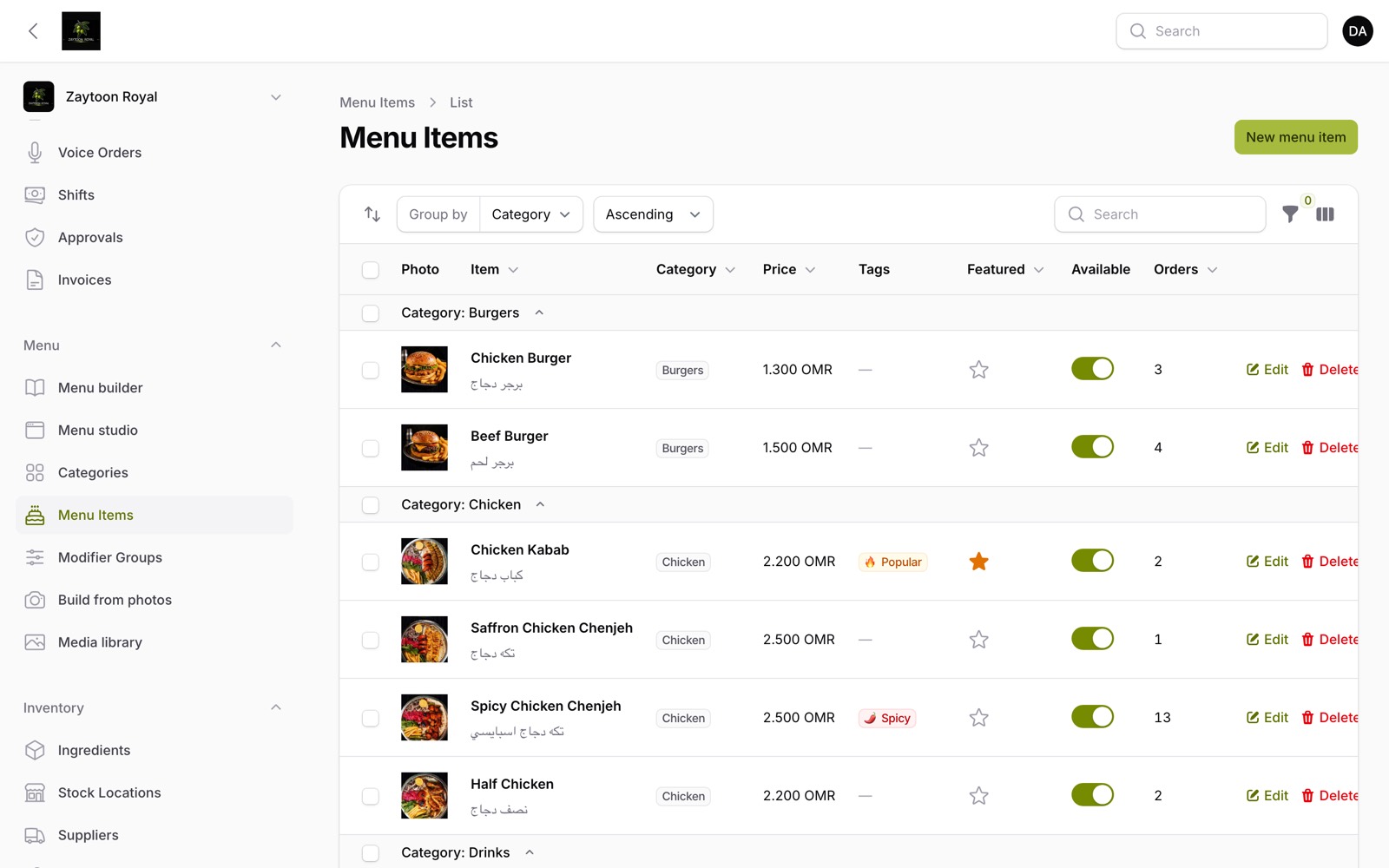 Menu item management
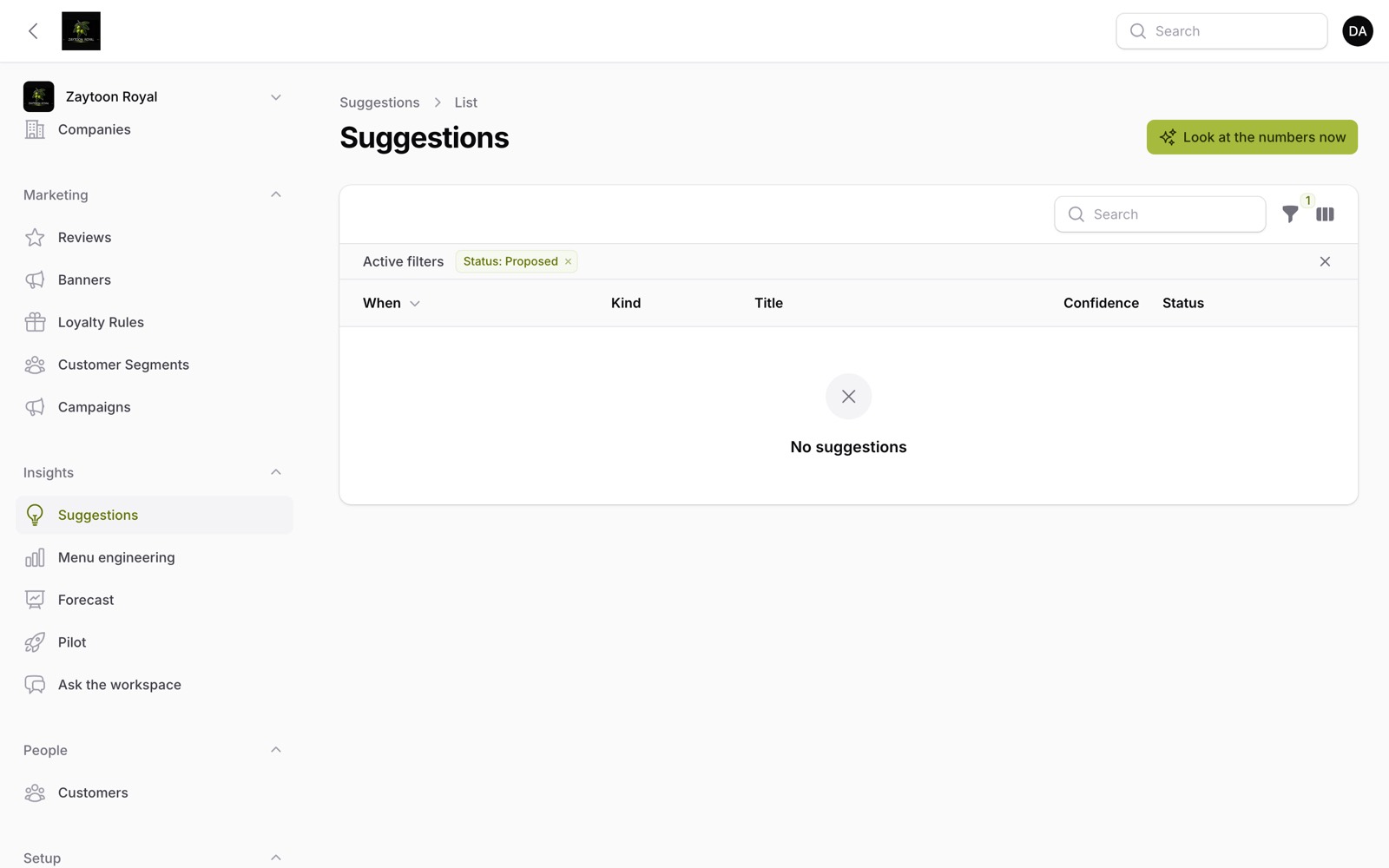 Sales forecast & insights
Getting the next visit, and knowing what the last one was worth.
Guest feedback and review moderation
After the meal a one-tap rating link goes out; low scores raise an alert and every review waits in the panel to be answered.
Customer book with segments and churn
A guest book that knows who returns, what they spend and who is drifting away, sliced into segments.
Loyalty points and guest passes
Points rules an owner writes, earned on the same paid order — and subscription passes with a QR that rotates every half minute.
Campaigns, automations and promotions
WhatsApp and SMS campaigns to chosen segments, automatic service messages from day one, and promotions that slide across the menu.
What holds the whole thing up: sign-up, billing, printing, audit, and money that cannot drift.
The platform's own site in four languages with per-country pricing, and a directory where a visitor opens a live menu.
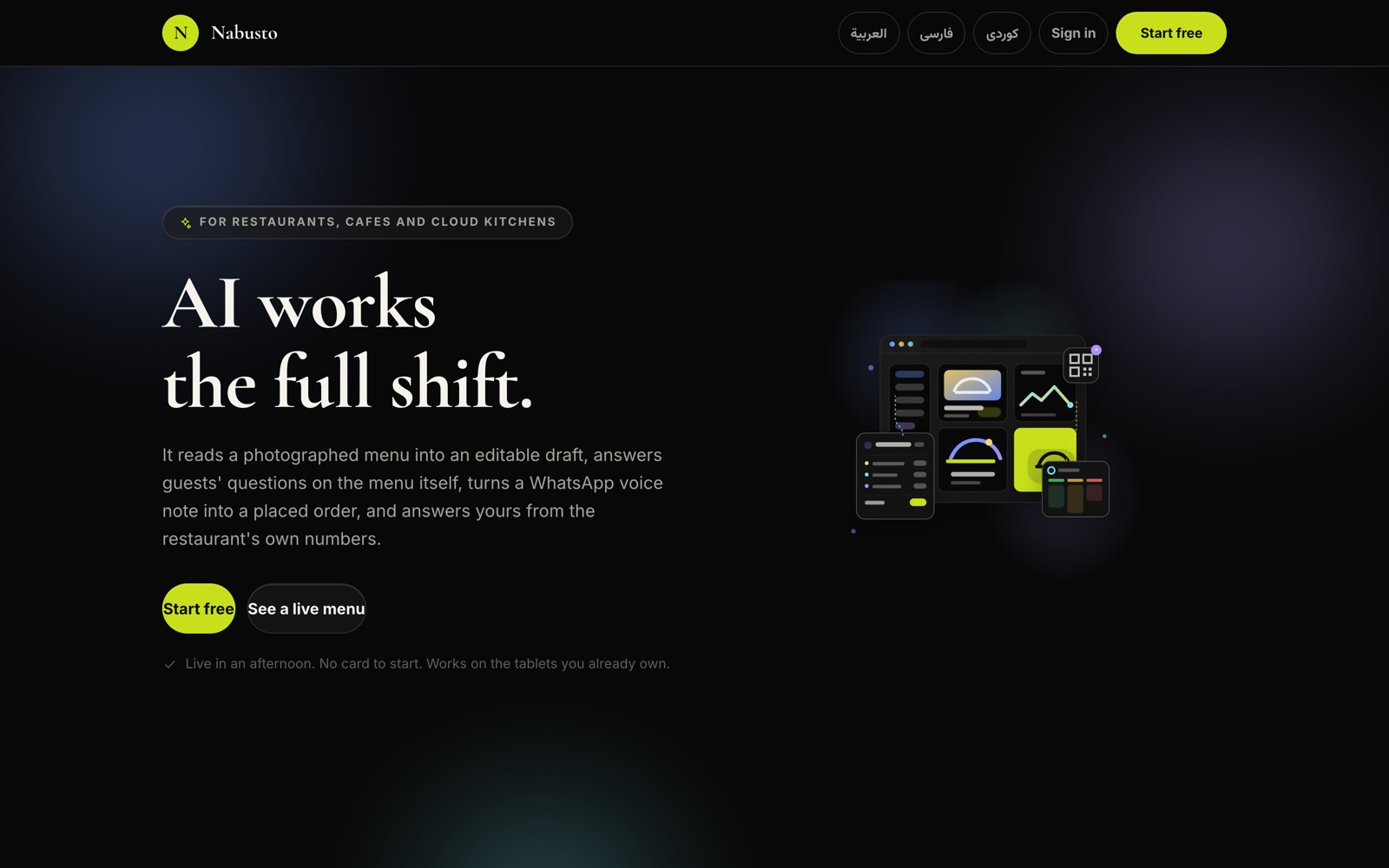 Marketing homepage
Printing with a local print agent
Printers and templates, a local print agent that heartbeats and takes jobs, and reprints that write who asked and why.
Per-table and per-branch QR codes
Every table gets its own code and a printable sheet per branch — the first scan is the first order.
Multi-restaurant platform admin and audit
A platform panel over every restaurant, with an activity log and risk alerts when one person voids or refunds too often.
Self sign-up with a trial
A restaurant stands itself up on one screen — restaurant, first branch, owner account and starter categories — with a free trial.
Plans and billing per country
One price per branch, every feature in every plan, each country with its own price list — paid through the platform's gateway.
Money that cannot drift
Every amount is an integer in minor units, decimals belong to the currency, and totals are recomputed on the server — a phone can never decide what you are paid.
Installable PWA per restaurant
The guest menu installs to the home screen like an app, with its own icon and offline service worker — still nothing to download.
Your restaurant, your branch and your owner account are created on one screen.
Categories, dishes, options and photos. Or point us at the menu you already have.
Every table gets its own QR. The first guest who scans it is the first order on your kitchen screen.
It reads a photographed menu into an editable draft, answers guests on the menu itself, turns a WhatsApp voice note into an order the guest confirms, and answers your questions from the restaurant's own numbers. Every AI capability in the product is below — each with its own switch and its own price.
Photograph up to eight pages of the laminated menu and the model reads categories, dishes and prices into an editable draft — nothing is saved until the owner ticks and applies, a dish already on the menu is never overwritten, and one that arrived without a price comes in switched off.
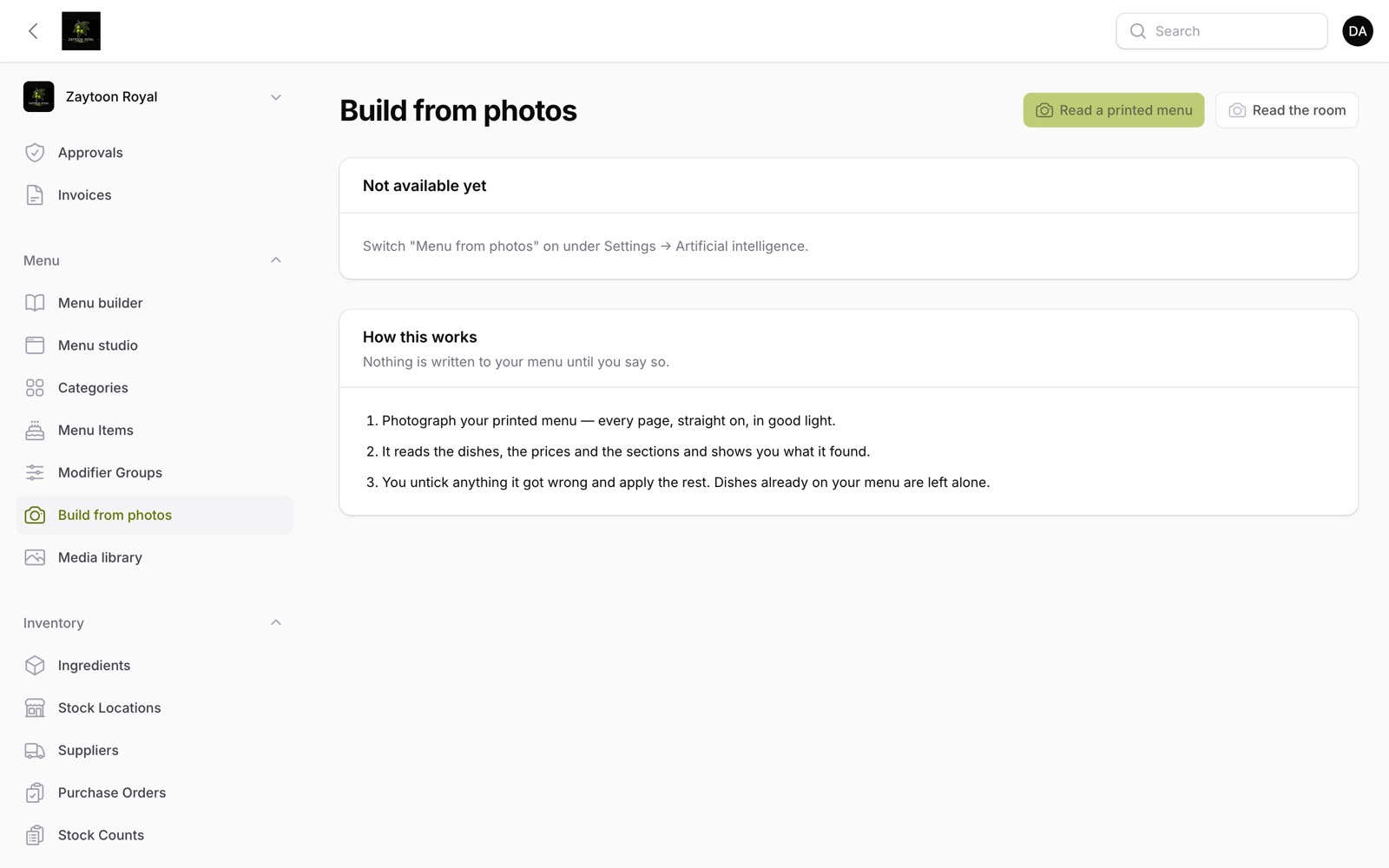 AI studio
AI menu helper (typed)
A guest types "something light, nothing with nuts" on the menu and the helper answers from that restaurant's menu only — in the menu's own language, naming the dishes it means, each one a card one tap from the basket.
Talk to the menu helper, out loud
A live voice call from the guest's phone: the helper greets, the guest speaks, and a decision model ranks which dishes fit best before a word is said — the dishes light up on screen as they are spoken, and the call is billed by the minute.
The menu's look, read from the room
Photograph the room, a plate or the logo, and the model proposes the palette and fonts that become the customer menu's look — applied over the restaurant's existing branding, never replacing it wholesale.
Voice-note ordering on WhatsApp
A voice note on WhatsApp becomes a structured takeaway order: kept, transcribed in the language it was spoken, each dish matched to the menu, anything ambiguous asked back one question at a time — and only a plain yes from the guest places it, with the pay link following.
Ask the workspace
The owner asks "how did last week go?" in chat and the assistant answers from the restaurant's own numbers — calling six read-only tools itself, always inside one restaurant's data, in its own currency, and it cannot change a price, cancel an order or move money.
Prepaid AI credit, priced per answer
Every AI feature carries a price in the restaurant's own currency — per reply, per minute, per draft — deducted automatically after each use; the balance shows as answers left rather than tokens, and each feature has its own on/off switch on the same screen.
Connect your own assistant (MCP)
Issue a key per assistant and hand it the menu: it can read the menu and the day's numbers, or with a write key create and edit dishes and categories — never place an order, take a payment or issue a refund, and every change is logged with the key that made it.
One price per branch. Every feature is in every plan — what changes is how long you commit for.
Prices for
Each country has its own price list, not a conversion of another country's.
17.500 KWD
a month
16.000 KWD
a month
Save 9%
15.000 KWD
a month
Save 14%
The menu helper and voice ordering are charged from prepaid credit, per reply and per minute, and only when they are switched on.
No. The QR code opens a web page. They can add it to their home screen if they want to, and it will behave like an app, but nothing is required.
The till keeps taking orders and holds them, then sends them in order when the connection returns. Nothing is retyped and nothing is lost.
Yes. Point your domain at us and your menu is served at the root of it, with your colours and your logo. Nothing on the page says Nabusto unless you want it to.
You can run Nabusto on any iPad or tablet you already own — it is a web app. If you have a system we need to exchange data with, tell us what it is.
Yes, on every guest screen, and the workspace itself is available in Persian. This was built in from the start, not translated afterwards.
Start with one branch and one menu. Add the till, the kitchen screen and delivery when you are ready.